

DFT Pro Tool is a professional Android servicing solution designed for technicians, repair shops, and advanced users who work with FRP removal, IMEI repair, and low-level Android operations. Unlike generic unlocking tools, DFT Pro focuses on brand-specific methods, modern Android security, and new chipset support.
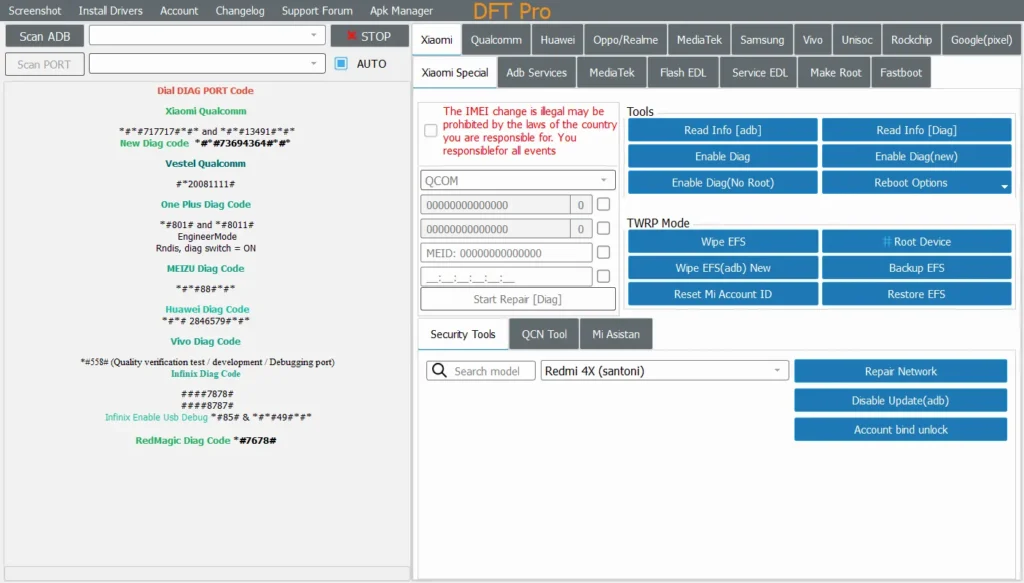
With frequent updates and support for the latest Android versions, DFT Pro has quickly become a trusted choice in the mobile repair community.
Need DFT Pro today? Choose the option that fits your work:
Rent for one-time jobs • Buy if you use it regularlyKey Features of DFT Pro Tool

1. FRP Bypass (Factory Reset Protection)
DFT Pro provides reliable FRP removal methods for multiple brands, including:
- Samsung (new Android security patches)
- Xiaomi
- Unisoc-based devices
The tool supports ADB, MTP, and diagnostic modes, increasing the success rate even on newer firmware versions.
2. IMEI Repair & Baseband Functions
For supported models, DFT Pro allows:
- IMEI repair & rebuild
- Baseband restoration
- Network issue fixes after firmware flashing
⚠️ Always ensure IMEI operations comply with local laws and regulations.
3. Wide Chipset & Brand Support
DFT Pro is optimised for:
- Qualcomm
- MTK (MediaTek)
- Unisoc / Spreadtrum
This makes it especially useful for budget and mid-range Android devices, where many tools lack proper support.
4. Regular Updates & Online Authentication
Unlike abandoned tools, DFT Pro:
- Receives frequent updates
- Adds support for new Android versions
- Improves bypass methods after security patches
This ensures long-term usability instead of one-time success.
Supported Devices Overview
DFT Pro Tool currently supports a wide range of devices, including:
- Samsung Galaxy series (selected models)
- Xiaomi / Redmi phones
- Unisoc-powered Android phones
- Various OEM brands using MTK chipsets
Support varies by firmware and security level, so checking compatibility before use is recommended.
Is DFT Pro Tool Safe to Use?
Yes, DFT Pro Tool is safe when:
- Downloaded from trusted sources
- Used with valid authorisation
- Operated by users with technical knowledge
The tool does not contain malware, but improper use may cause:
- Data loss
- Device boot issues
- Network problems
Always back up important data before performing any operation.
Who Should Use DFT Pro Tool?
DFT Pro is ideal for:
- Mobile phone repair technicians
- Unlock service providers
- Advanced Android users
- Repair shops handling multiple brands daily
It is not recommended for beginners without technical experience.
DFT Pro Tool: Pros & Cons
✅ Advantages
- Strong FRP bypass success rate
- Supports modern Android versions
- Good Unisoc & MTK coverage
- Regular updates
❌ Limitations
- Requires technical knowledge
- Some features are device-specific
- Not free (license or rental required)
Should You Buy DFT Pro or Rent It?
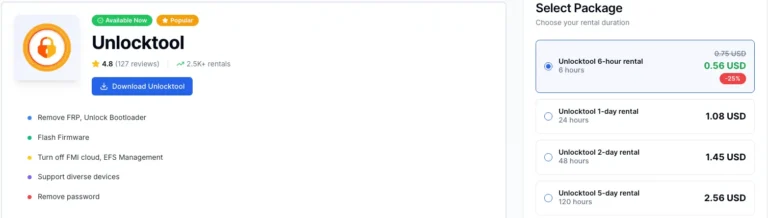
If you use DFT Pro occasionally, renting is usually cheaper. If you use it weekly or run a repair shop, buying a license often makes more sense.

Rent DFT Pro (Best for occasional use)
- Lower upfront cost
- Fast access for one-time FRP / repair tasks
- Ideal for testing before committing
👉 Rent DFT Pro here (Instant Access)
Buy / Activate DFT Pro (Best for regular work)
- Lower cost per job if you use it often
- Better long-term value for technicians/shops
- No need to worry about rental availability
👉 Buy / Activate DFT Pro license here
Rule of thumb: Rent for a few devices. Buy if DFT Pro is part of your daily workflow.
Final Verdict: Is DFT Pro Worth Using?
If you are working professionally with Android devices, DFT Pro Tool is absolutely worth using. Its focus on modern security, chipset diversity, and frequent updates makes it a reliable long-term solution for phone servicing and unlocking tasks.
For technicians who need consistent results instead of experimental methods, DFT Pro stands out as a solid investment.
payment
Support USDT/Cryptocurencies
i need it
It’s useful